Plures · Native · macOS 14+

Capture your work.
Many ways.

Load one URL, export at any size you need

Preset ratios or exact pixel dimensions, every viewport in one run: pixel-perfect stills, scrolling video, and 3D device mockups.

Pay once. No subscription. No account. 30 free actions to try it, no signup.

01.

How it works.

The Plures Library: a grid of captures with the context toolbar and inspector
HOW IT WORKS · 01

The Library is home

Everything lives in one grid: captures, imported screenshots and videos, finished renders. Stage any of it, export any of it, or drag it straight into Figma, Slack, or Finder. The workspace autosaves as you work.

HOW IT WORKS · 02

Point it at a page

New Capture opens the capture window. Paste a URL and the canvas renders it live, in the same WebKit engine as Safari: scroll, click, log in, find the exact state you want. Tidy page hides cookie banners, consent pop-ups, and chat widgets.

HOW IT WORKS · 03

Stack your sizes

Three ways to add a viewport: preset aspect ratios, device presets like iPhone and iPad, or fully custom pixel dimensions. Save the set as a Scene and bring the whole stack back next time.

16:10 · 16:9 · 4:3 · 1:1 · 3:4 · 9:16 · iPhone · iPad · custom
HOW IT WORKS · 04

Capture — all of them

Image or video, at 1× or 2×. Record while you drive the page yourself, let Plures auto-scroll it smoothly for you — or skip motion entirely and export the full site, top to bottom, as one tall still. One run, every viewport at once, each file in the Library the moment it lands.

→ site-1920x1080.png · site-fullpage.png · site-scroll.mp4
AFTER THE CAPTURE · 05

Compose in 2D

Wrap a capture in a browser or device frame, set it on a gradient or mesh background, pad it out on a custom canvas. Save the look as a preset and reuse it across every capture.

AFTER THE CAPTURE · 06

Mock it up in 3D

Put the same capture on a phone, tablet, laptop, or monitor. Photo, clay, or line-art styles; orbit and push-in camera moves; transparent backgrounds. Export as a still or a video. Select several items and apply a saved look to all of them at once.

AFTER THE CAPTURE · 07

Export it. Save the session.

Back in the Library: select items and export them all at once — PNG, JPEG, or WebP for stills, MP4 or GIF for motion, every filename editable before it lands. Save Session writes the whole workspace to a .plures file; double-click it later and pick up exactly where you left off.

02.

What comes out.

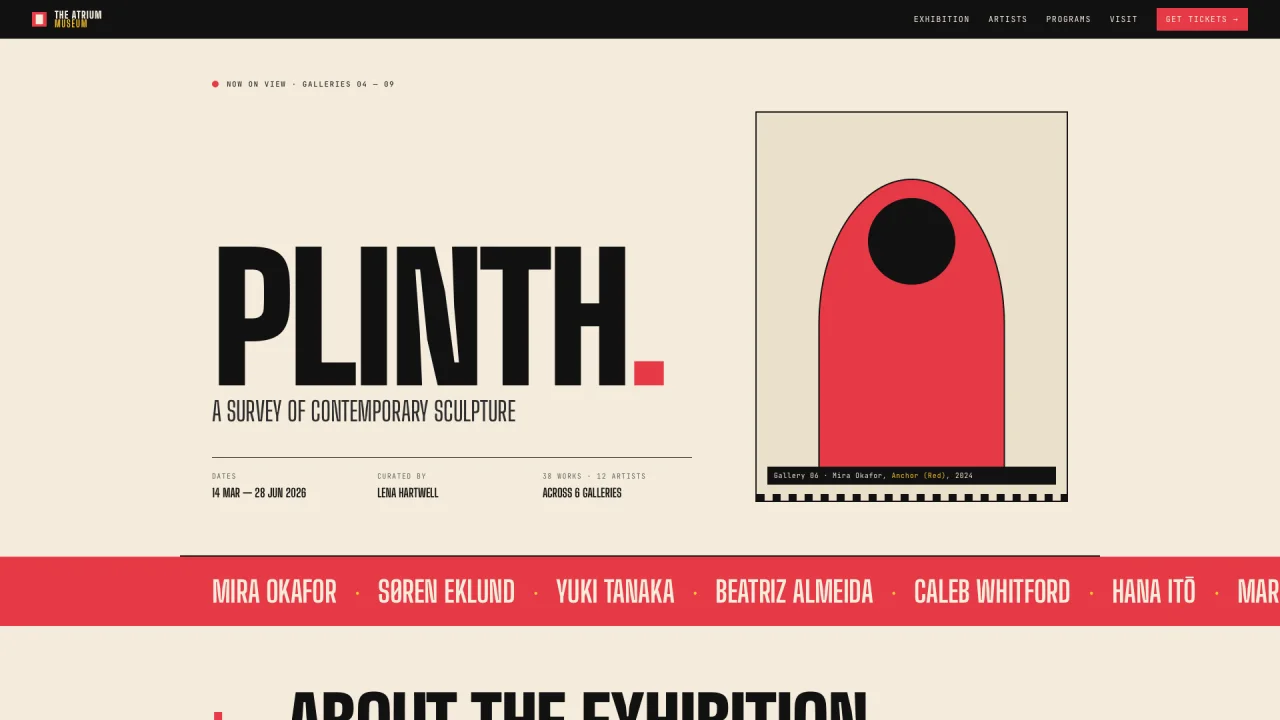
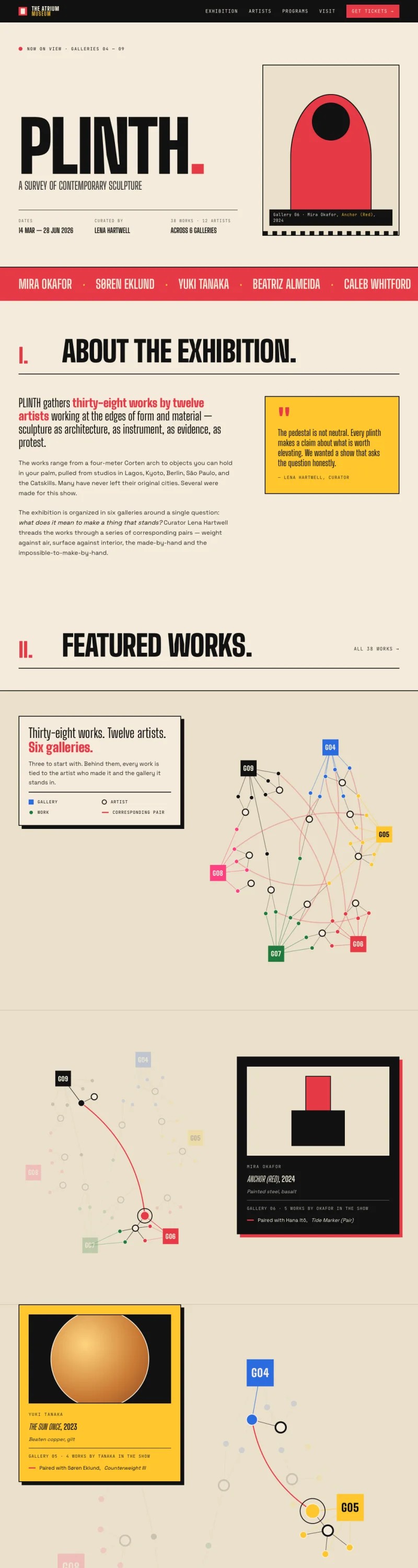
One URL — and then all of this. Every file below is an unedited Plures export, taken from a fictional website we designed for an upcoming museum exhibition.

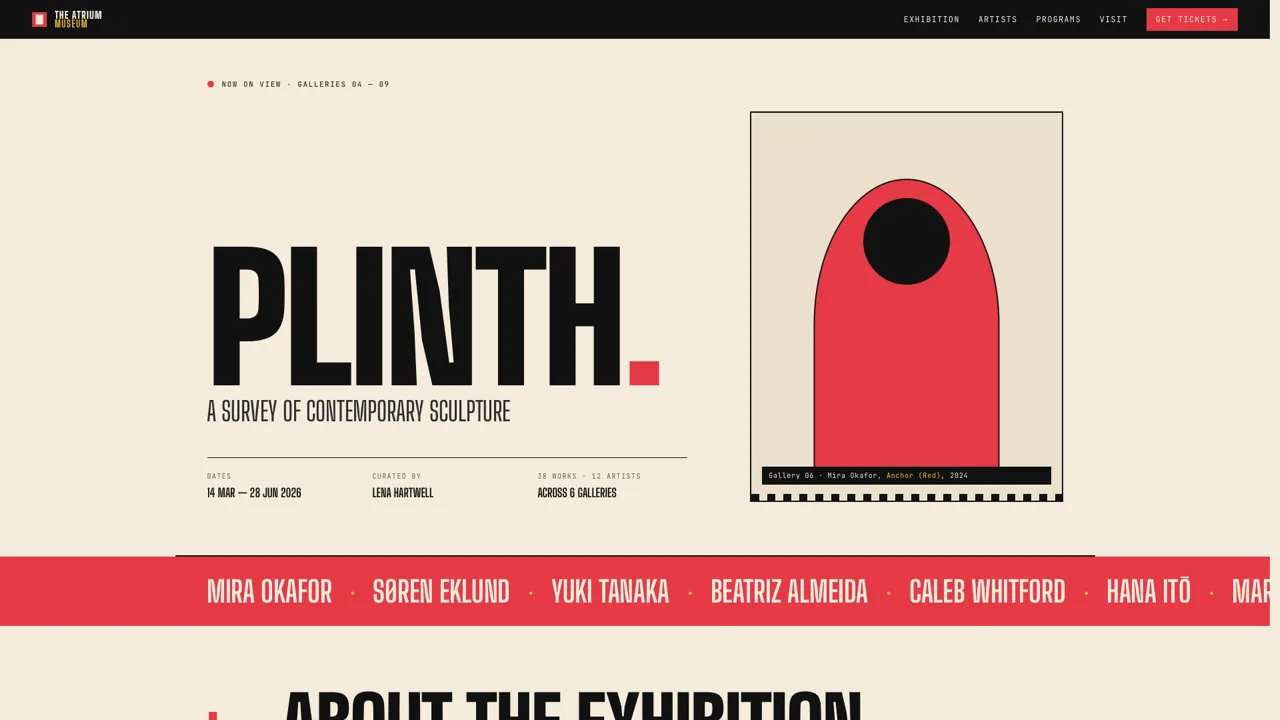
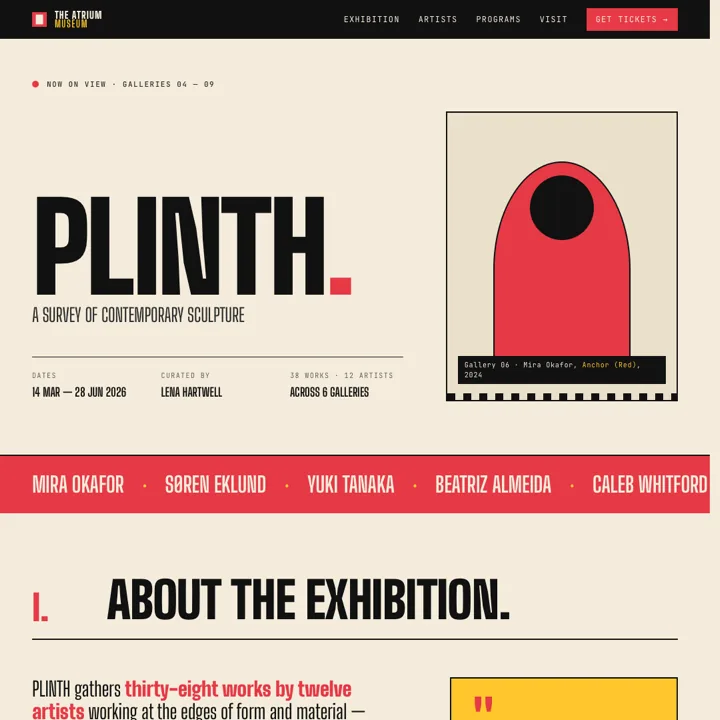
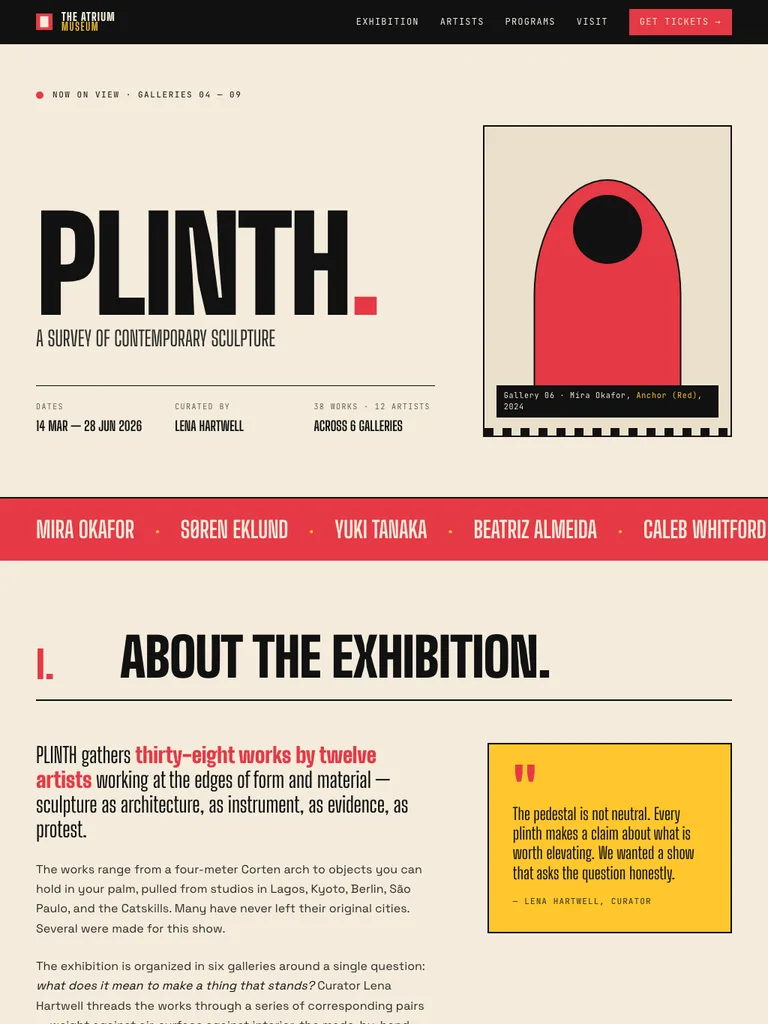
A website capture at 16:9, exactly as Plures exported it
Desktop still · 16:9 1920×1080 · PNG
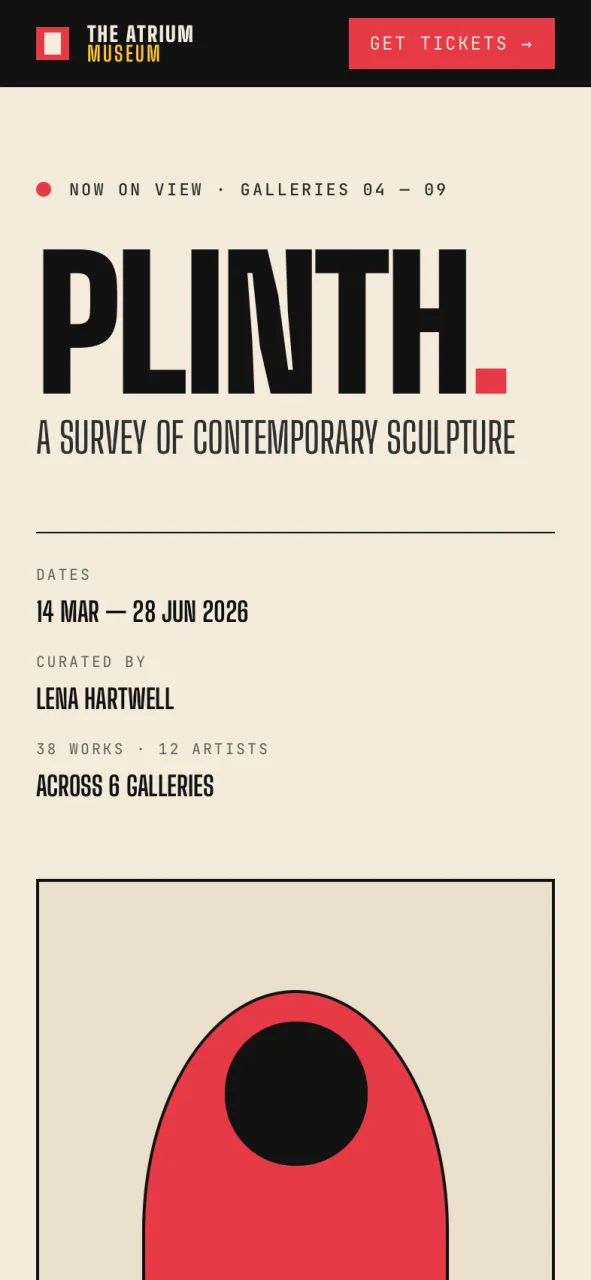
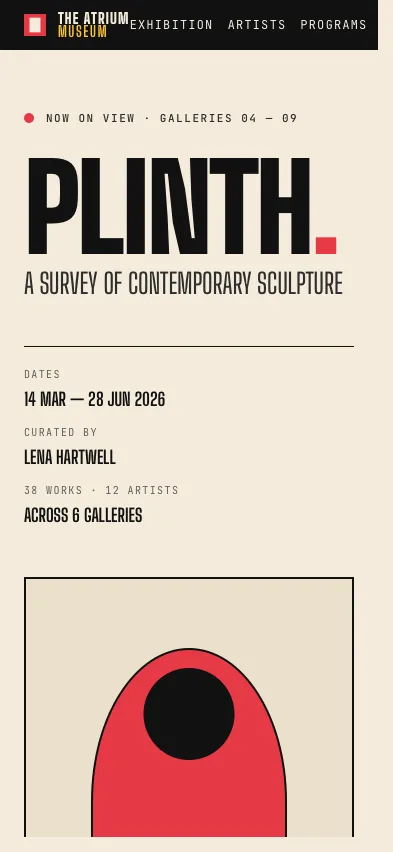
The same site captured at the exact iPhone 15 viewport
Device still · iPhone 15 393×852 · PNG
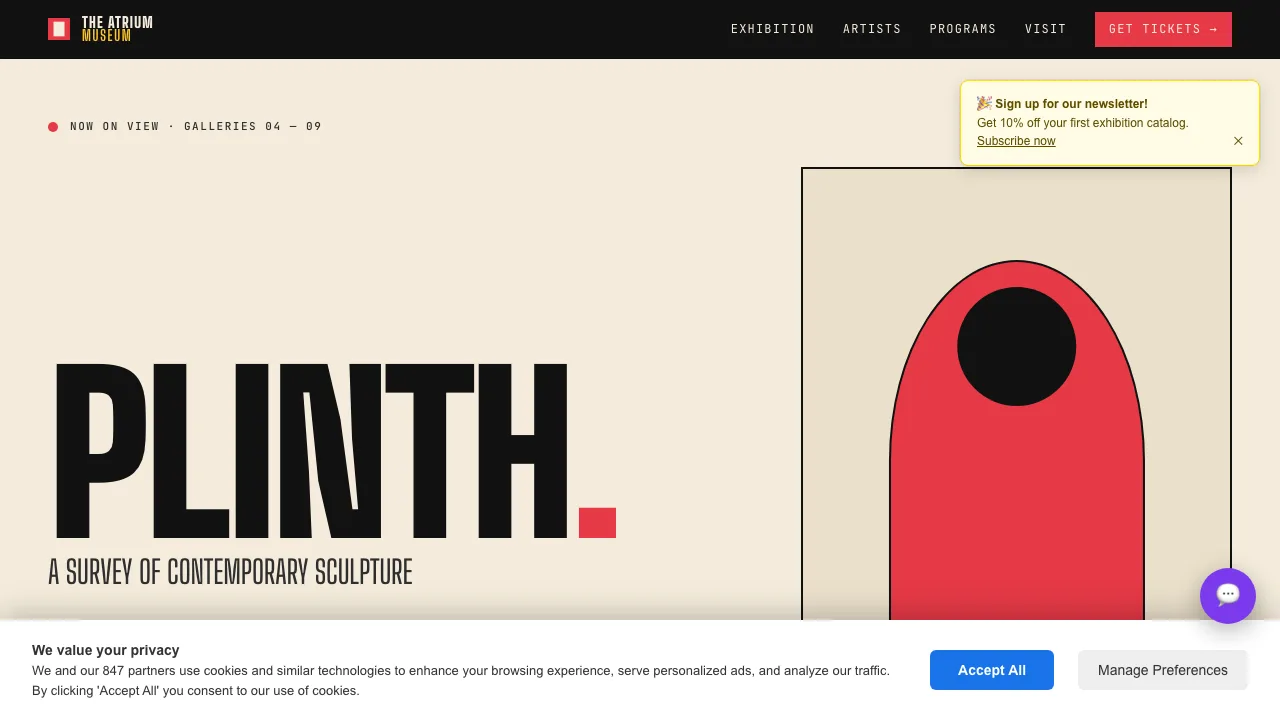
A capture with a cookie banner and chat bubble in the way Tidy off
The same capture with banners and pop-ups removed Tidy on
Tidy · before and after 1920×1080 · PNG
Auto-scroll video · raw capture 1280×720 · MP4
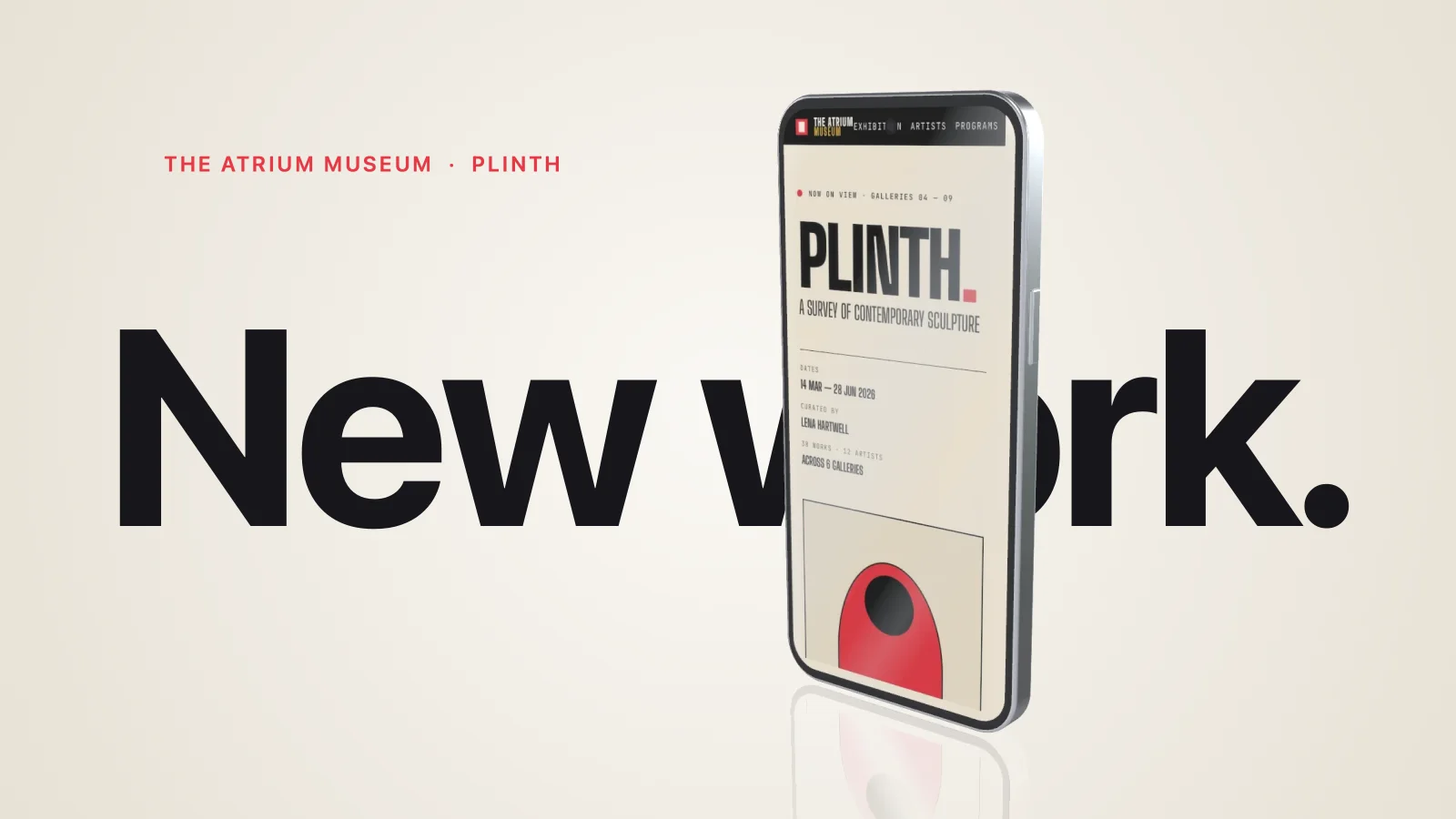
Phone mockup in motion · 3D 1080×1350 · MP4
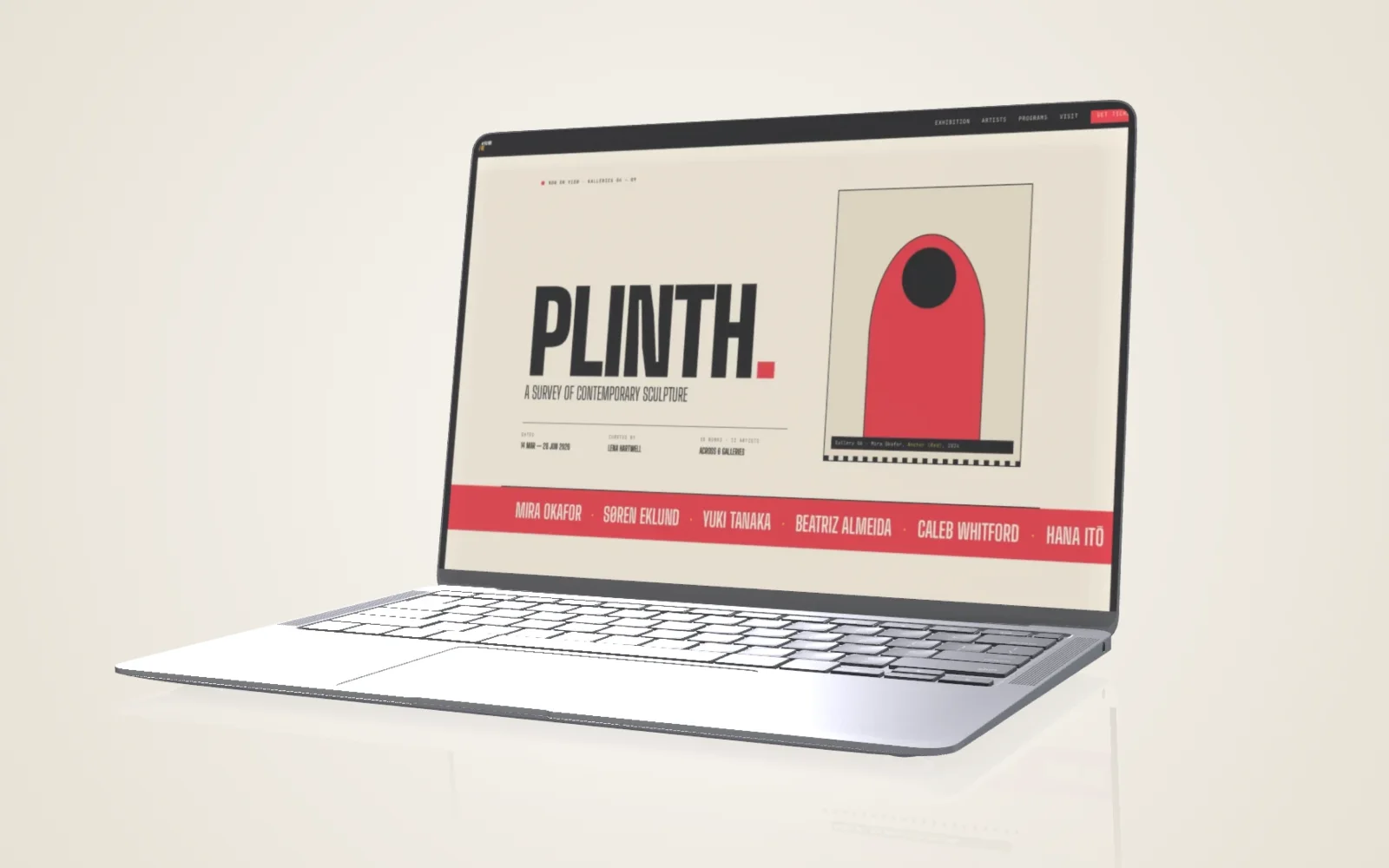
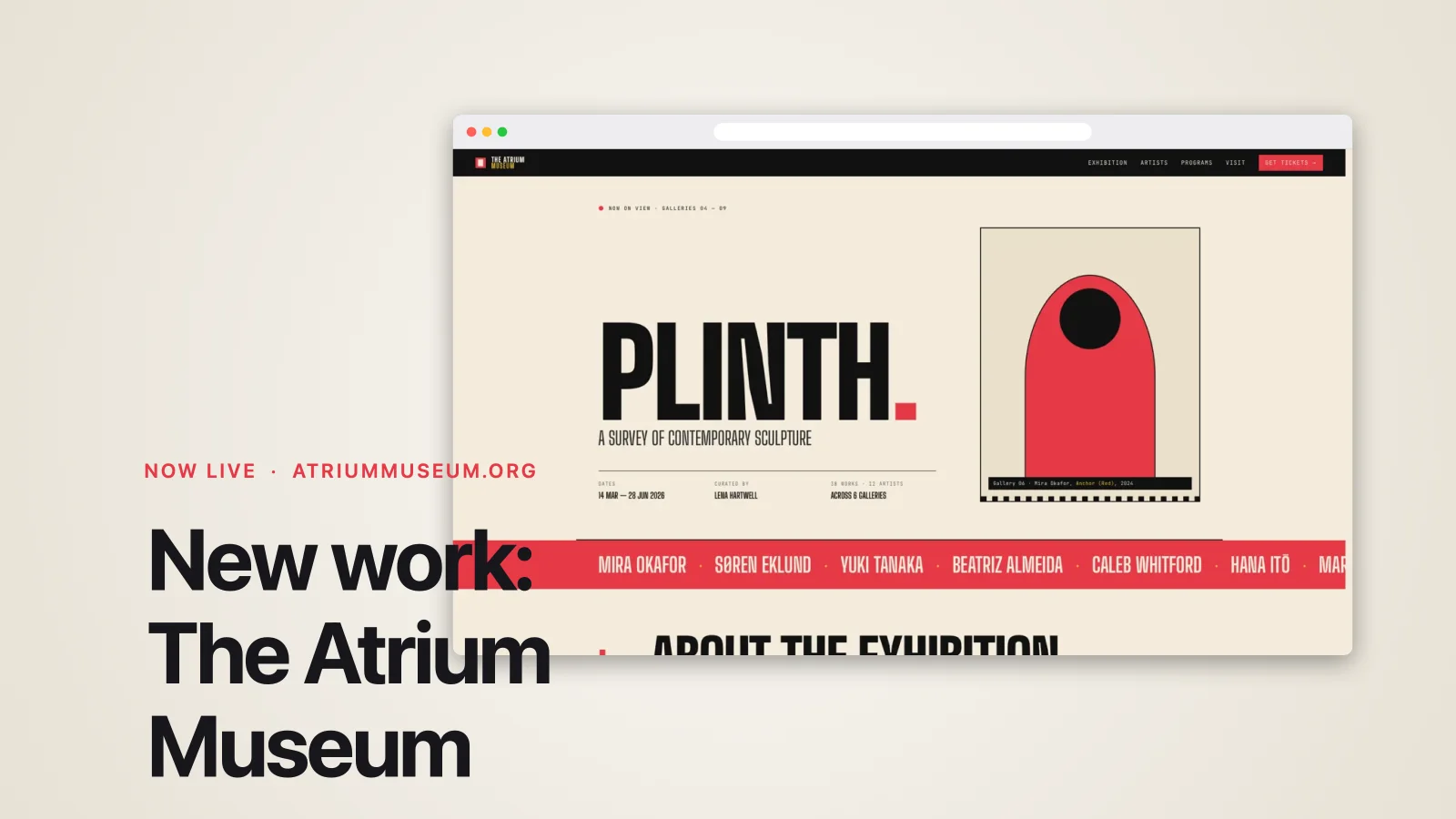
The capture staged on a photorealistic 3D laptop, unedited Plures export
Laptop mockup · Photo style 1920×1200 · PNG
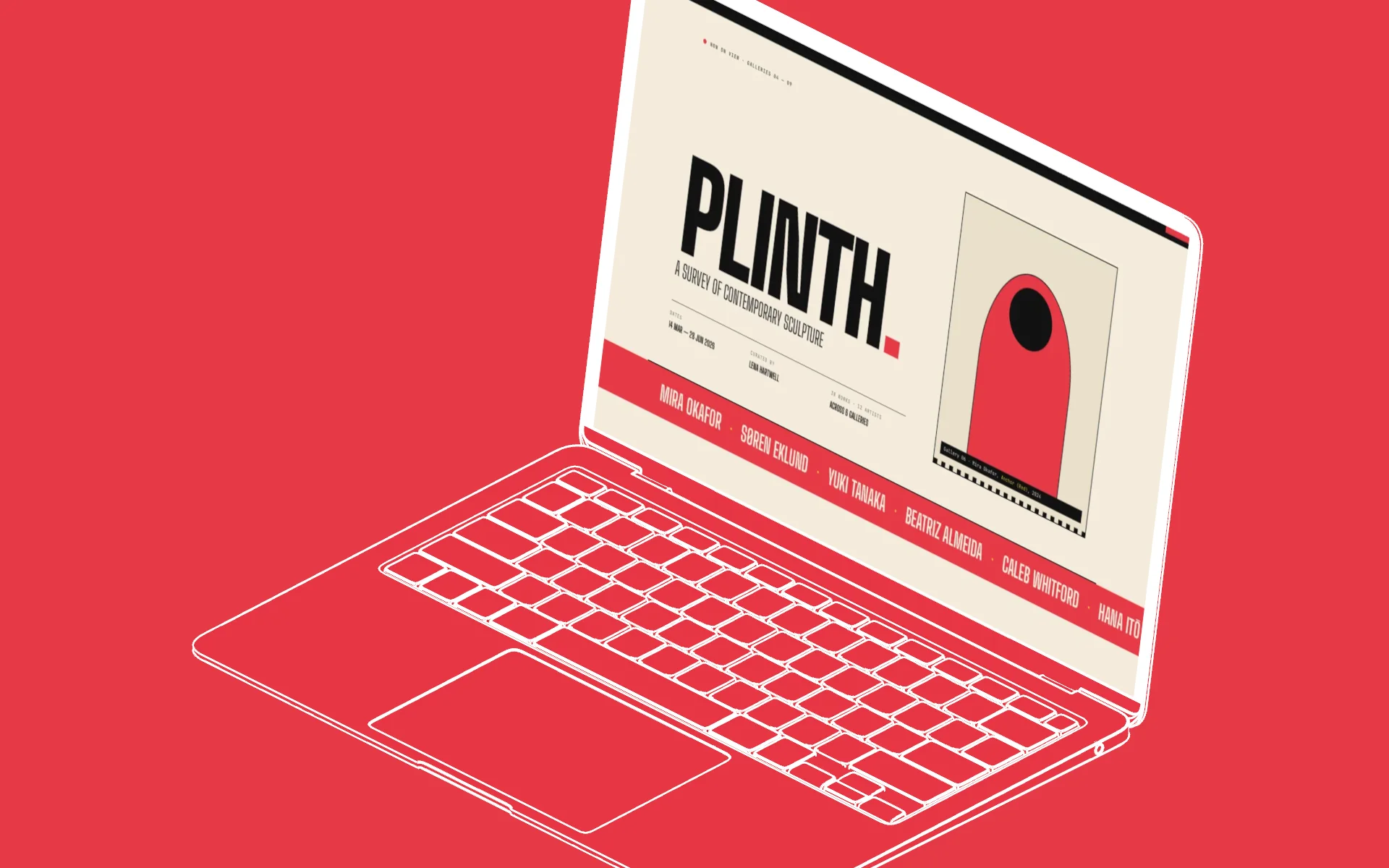
The same capture as a blueprint line-art laptop in PLINTH red, unedited Plures export
Laptop mockup · Blueprint style 1920×1200 · PNG
The entire page captured top to bottom as one very tall image
Full-page still · top to bottom 424×2300 · PNG
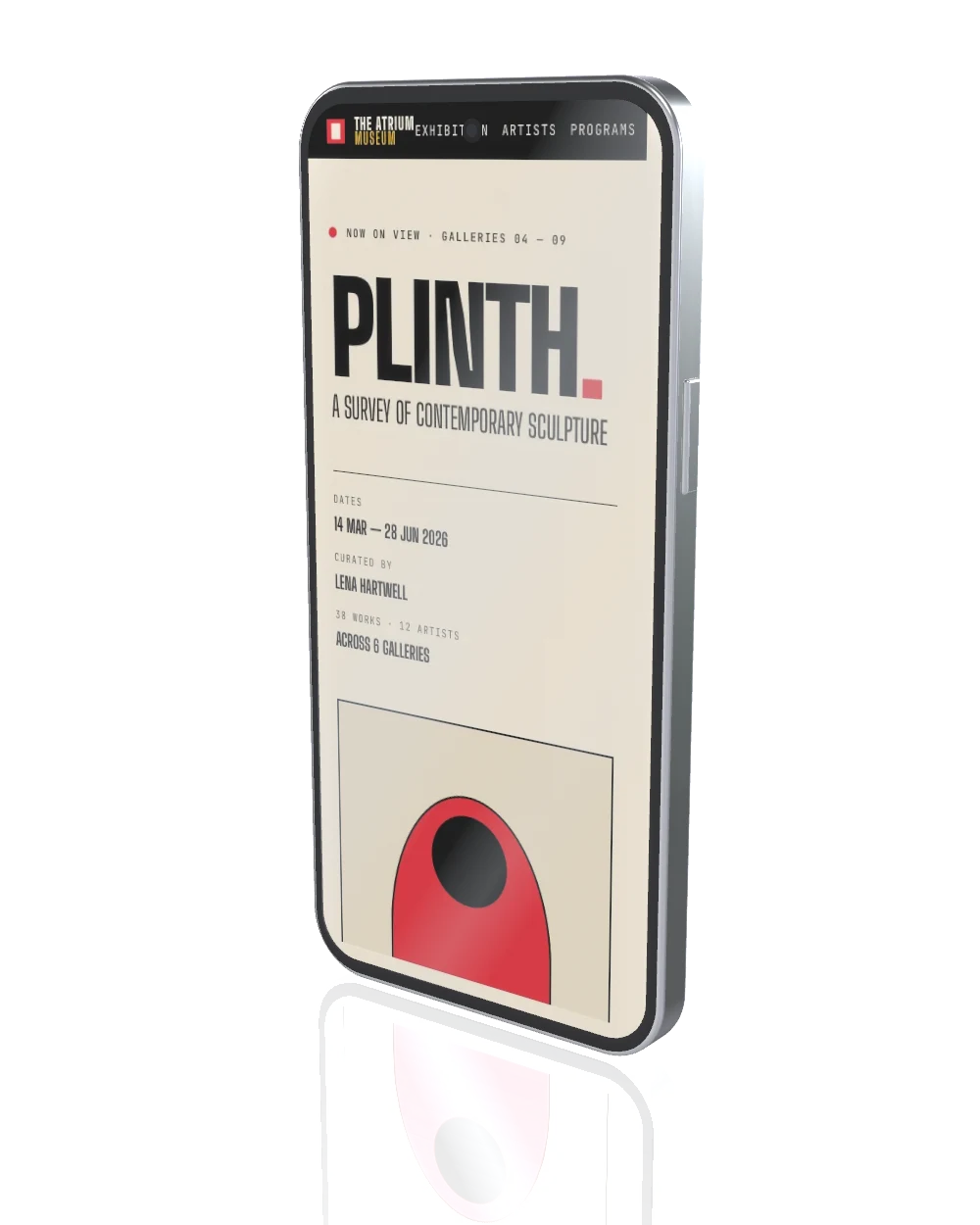
A phone mockup exported with a transparent background
Phone mockup · transparent 1000×1250 · PNG alpha
The same site captured square, exactly as exported
Square still · 1:1 1080×1080 · PNG
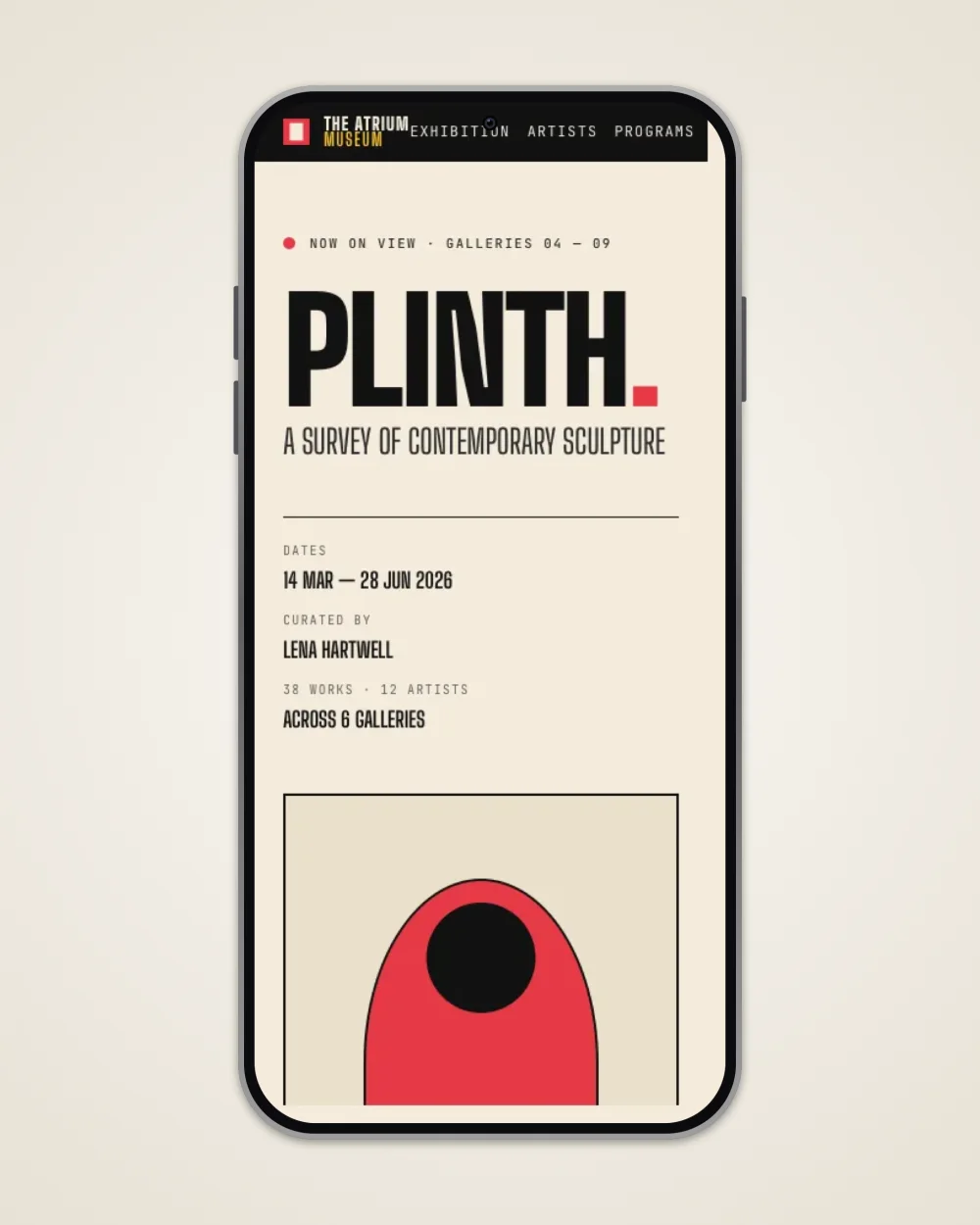
A mobile capture in a phone frame on a dusk gradient, made in 2D Compose
Phone frame on gradient · 2D Compose 9:16 · PNG
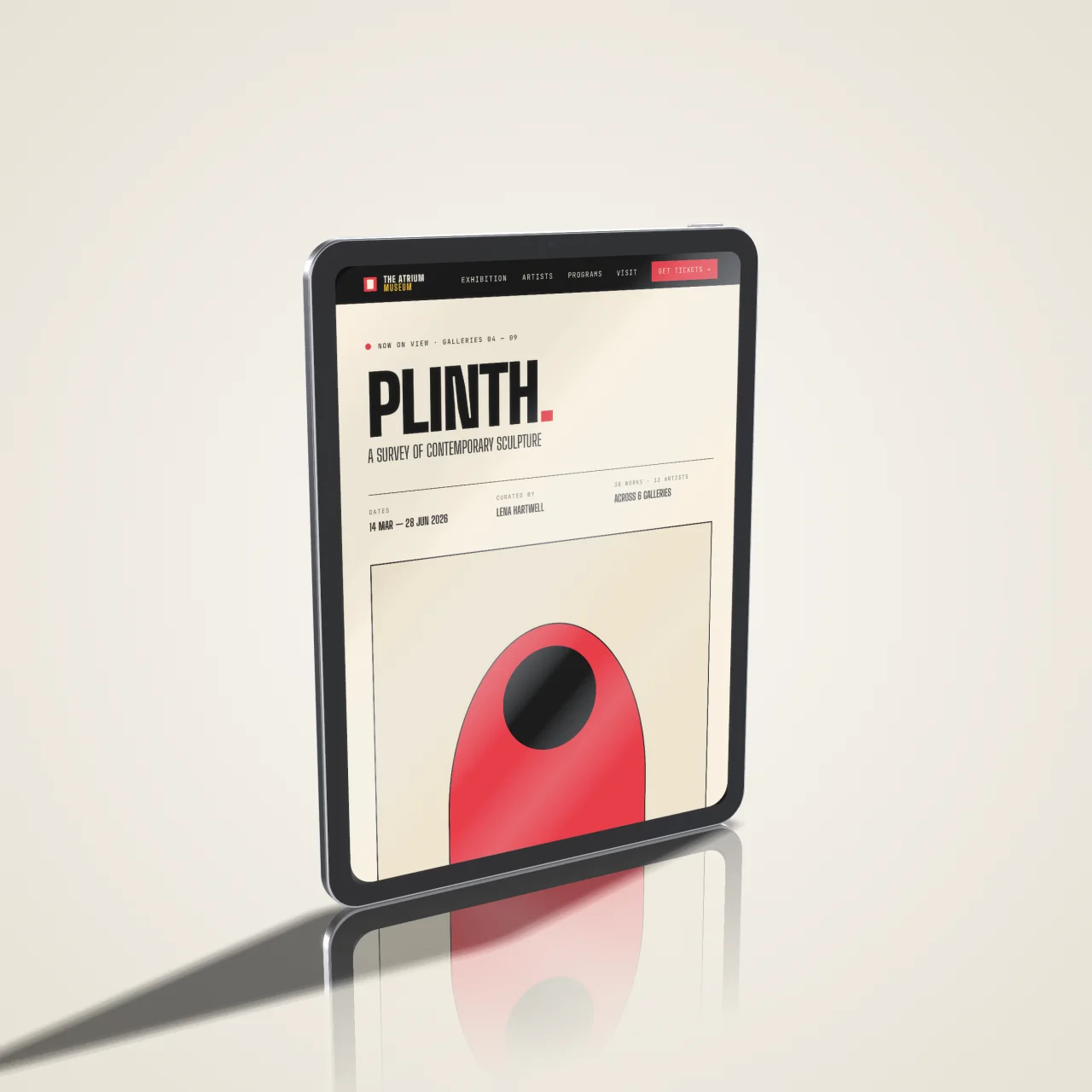
The same site captured at iPad dimensions and exported at 2x
Device still · iPad at 2× 1536×2048 · PNG 2×
Tablet mockup in orbit · Blueprint style 1280×800 · MP4
A capture wrapped in a browser frame on a sage background, made in 2D Compose
Browser frame on canvas · 2D Compose 900×595 · PNG
Monitor mockup in motion · 3D 1400×875 · MP4
Capture
Native WebKit rendering · exact pixel viewports · preset ratios, device presets, or custom sizes · every viewport in one run
Stills
PNG, JPEG & WebP · 1× or 2× Retina · full-page top to bottom · transparent alpha out of the 3D stage
Motion
MP4 / H.264 & GIF · smooth programmatic auto-scroll, or drive the page yourself · trim & speed · 30fps at typical sizes
Tidy
One switch blocks ads and hides cookie banners, consent pop-ups, and chat widgets — your work, not the internet's noise
Stage
2D Compose: frames, gradients, mesh, padding, shadow · 3D Mockup: phone, tablet, laptop, monitor in photo, clay, or line-art styles, with orbit and push-in moves
Honest pixels
A phone mockup gets a phone-width page. Plures knows the capture's viewport, and if it doesn't fit the device, it recaptures at the size that does
Reuse
Scenes save a viewport set · Compose and Mockup presets save the look · Sessions save the whole workspace as a .plures file · batch-apply a Mockup preset across a selection
The Mac part
Native SwiftUI · no Electron · no cloud · no account · no telemetry · macOS 14+ · Apple Silicon & Intel
03.

Price.

$49
USD · one-time · no subscription one person · every Mac they use
License
$49 · one-time · one person, every Mac they use
Updates
Plures 1 updates are free. Installing them is optional — no nags, no dimmed features, no banner in the capture UI.
Activation
A license key. No account, no server, no license check that can fail. Works offline. Works if this site is gone.
Later
Nothing you paid for moves behind a paywall in an update. If there's ever a Plures 2, it's a separate optional purchase, discounted for owners — and 1 keeps working.
Trial
Your first 30 actions are free — every feature, no watermark, no signup, no card, no clock. Capture runs, staged renders, and exports count; browsing and importing don't.
Refunds
30 days, no questions — through Lemon Squeezy
Buy Plures — $49

One-time · terms above

Teams

15% off at 4+ seats · one invoice, one PO · seats reassign as people come and go. A seat is a person, not a machine.

Studio license →
Why

Plures comes out of a design agency — we built it as an in-house tool because prepping site assets is a slog. The same page captured, staged, and exported over and over for every place it has to show up. Plures makes that one run instead of an afternoon.

It's still the tool we use. It seemed worth sharing.

Every viewport you ship.
One capture.

Full-featured, no time limit. Your first 30 actions are free — no signup, no card.

Plures · macOS 14+ · Apple Silicon & Intel · Direct download