Help / 06
Export & licensing
Formats, the trial, the key
Formats
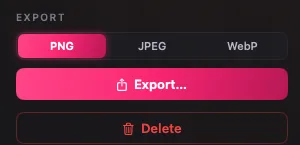
- Stills: PNG, JPEG, or WebP, chosen in the inspector at export time.
- Video: a video leaves as the file it is. Recordings and most compositions are H.264 MP4 at 30fps; a composition with no background is HEVC with alpha in a .mov. GIF comes from Trim or from Compose's Export, capped at 800 px wide and 12fps.
- Filenames: every item carries an editable export name; batch exports write one file per item into the folder you pick.
The trial
The first 25 actions are free. Capture runs, staged renders, batch applies, and exports each count as one, and only when they succeed; a list of pages counts one per page captured. Imports, browsing, re-editing, and saving changes over an existing item never count. There is no time limit and no signup; the meter in the sidebar shows the count from the first action.

At zero, the Library stays open: browse, Quick Look, and drag out everything you made, indefinitely. New captures, renders, exports, and saving changes over an existing item ask for a license.

The license
- $69, one-time. One person, every Mac they use.
- The key arrives by email within a minute of purchase, from support@plures.app.
- Paste it in Plures > Enter License Key…, there until a key is in, whether trial actions are left or not. During the trial, Enter key under the meter opens the same sheet; after it, the end-of-trial screen has Enter license key. Spaces and line breaks picked up in the paste are ignored.
- Activation is local: paste the key, done. No account, no server check. Works offline; keeps working if this site is gone.
- The sidebar shows the email the license is registered to.

Lost your key? Email support@plures.app from the address you bought with. Full terms are on the terms page; refunds are 30 days, no questions.
No telemetry. The app's only network traffic is the page you load and Sparkle's standard update check.