Help / 02
Scenes
A viewport set you keep
A Scene is a saved set of viewports. If you ship the same sizes on every project — say desktop 1920×1080, iPad, iPhone 15, and a square for social — build the list once, click Save scene, and name it. From then on it's one click in the Scenes menu.
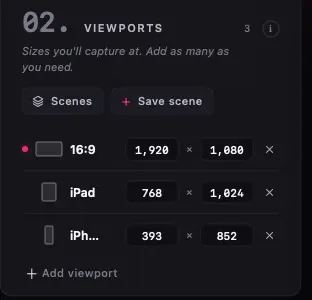
Working with scenes
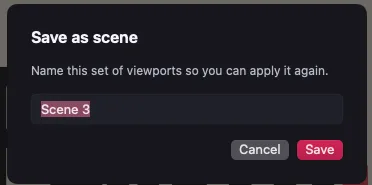
- Load — picking a scene replaces the current viewport list with the saved one.
- Manage — rename, edit, duplicate, or delete scenes from the Scenes menu. Editing a scene opens the same viewport controls as the capture window.
- Clear — clearing the active scene returns to the default single 16:9 viewport.
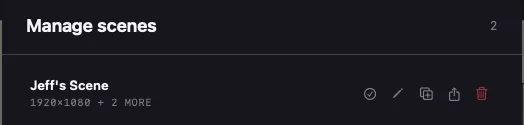
Scenes store viewports only. Capture settings (image or video, area, scale) travel with the capture window, and full workspaces are saved as .plures sessions.